Time of X for iPhone, iPad & Apple Watch

Count up from the moments that shaped you, and count down to the ones still ahead.

A milestone tracker that follows the exact time since, or until, anything that matters. Years, months, days, hours, minutes, and seconds, on every Apple device you own.

Pay once. No subscriptions, no ads, no tracking.
Time of X showing a live milestone counter on iPhone
In one sentence

What is Time of X?

Time of X is a native app for iPhone, iPad, and Apple Watch that shows the exact elapsed or remaining time, in years, months, days, hours, minutes, and seconds, for any moment that matters. A birthday, an anniversary, a wedding, a sobriety date, a due date, a retirement, an exam, a deadline, or any custom moment you want to keep close.

Everything you need

Built for every moment

Count-up or countdown, every Apple surface, every detail kept private.

Count-up and countdown

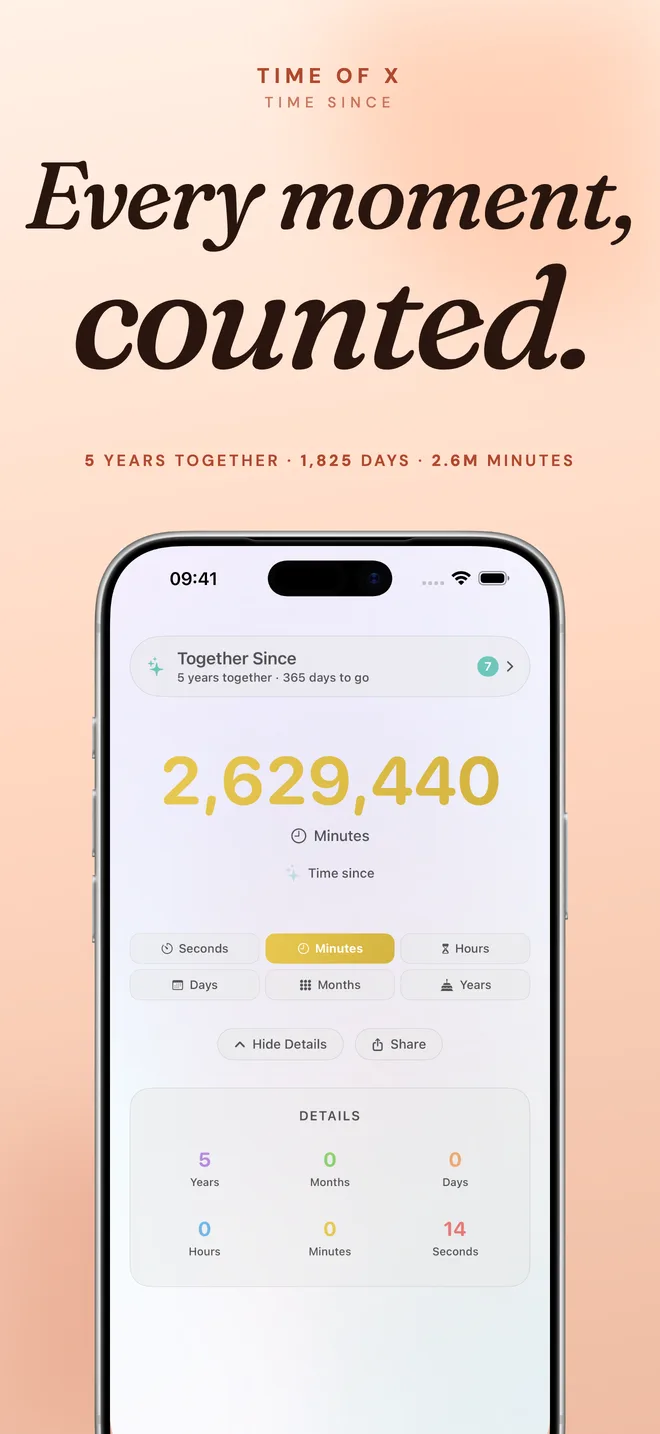
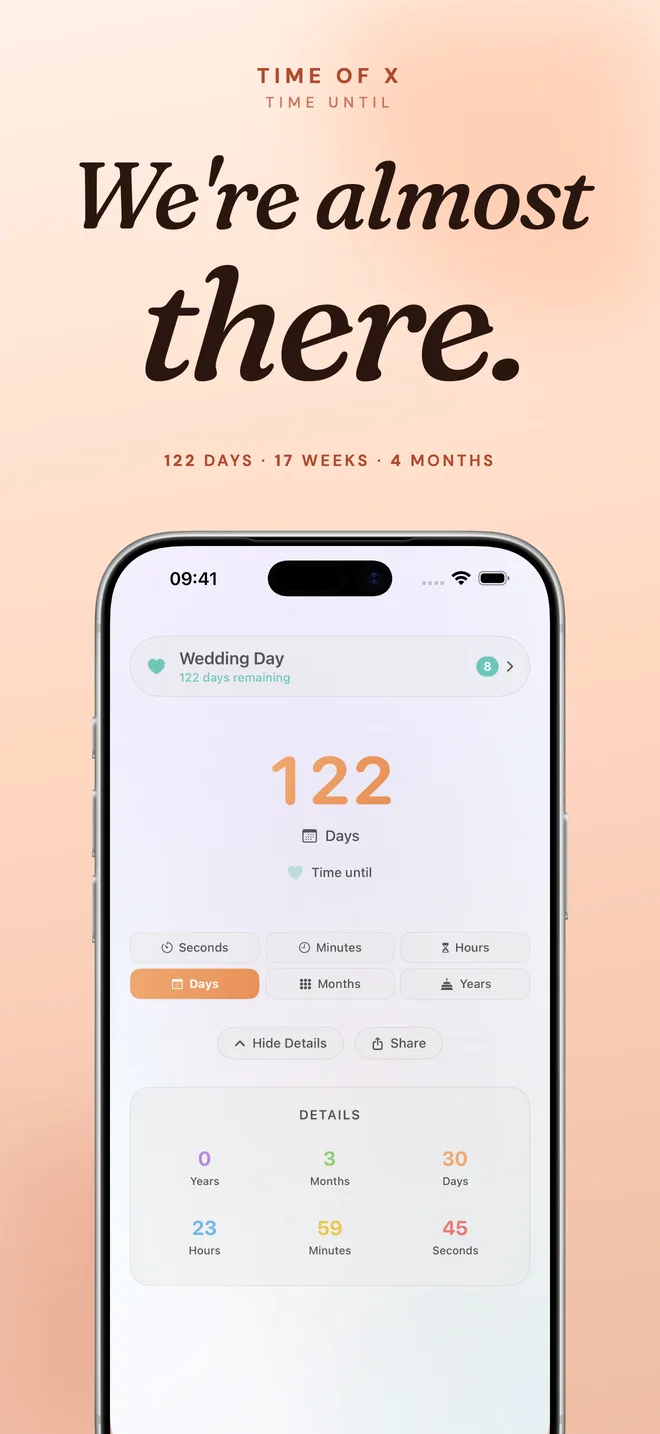
Every milestone tracks both directions. Recurring dates automatically count down to the next occurrence and flip to counting up on the day.

Six time units, all at once

Years, months, days, hours, minutes, and seconds, live and ticking, with a clean breakdown for the full picture at a glance.
Home Screen and Lock Screen widgets

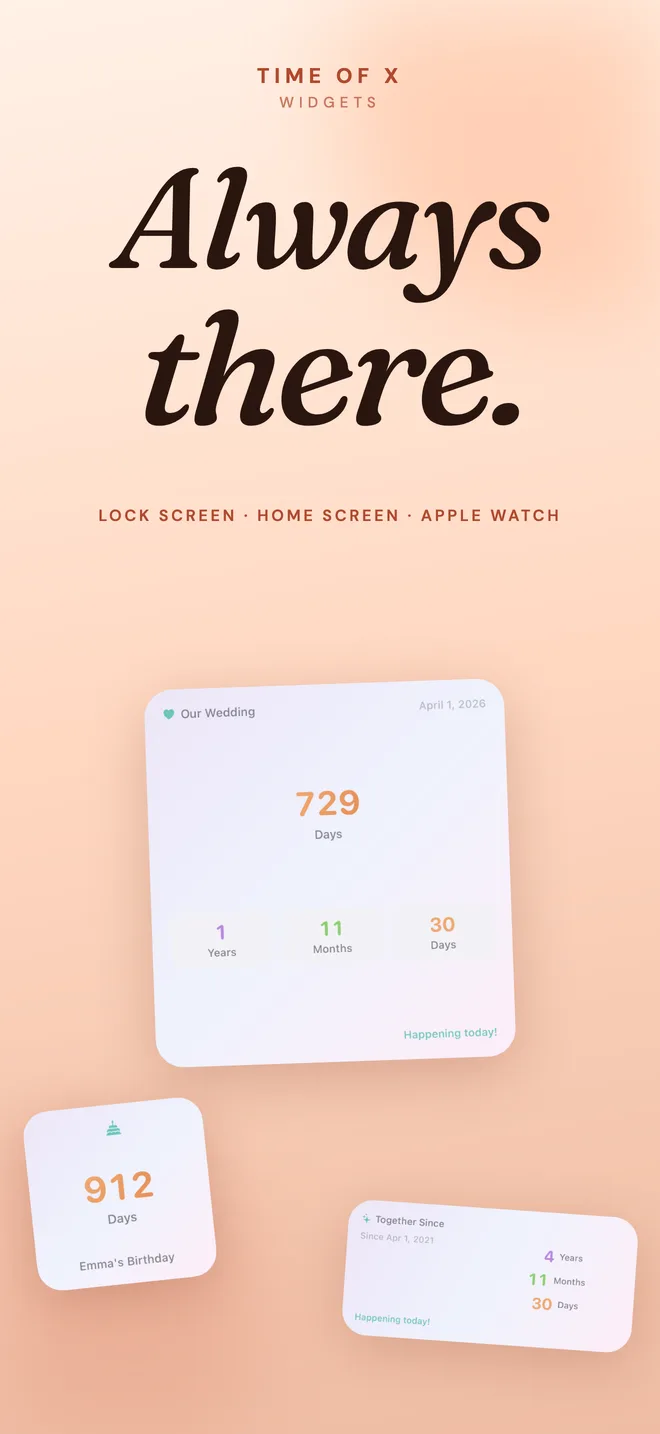
Small, medium, and large Home Screen widgets, plus inline, circular, and rectangular Lock Screen widgets. Different widgets can follow different milestones.

Apple Watch app

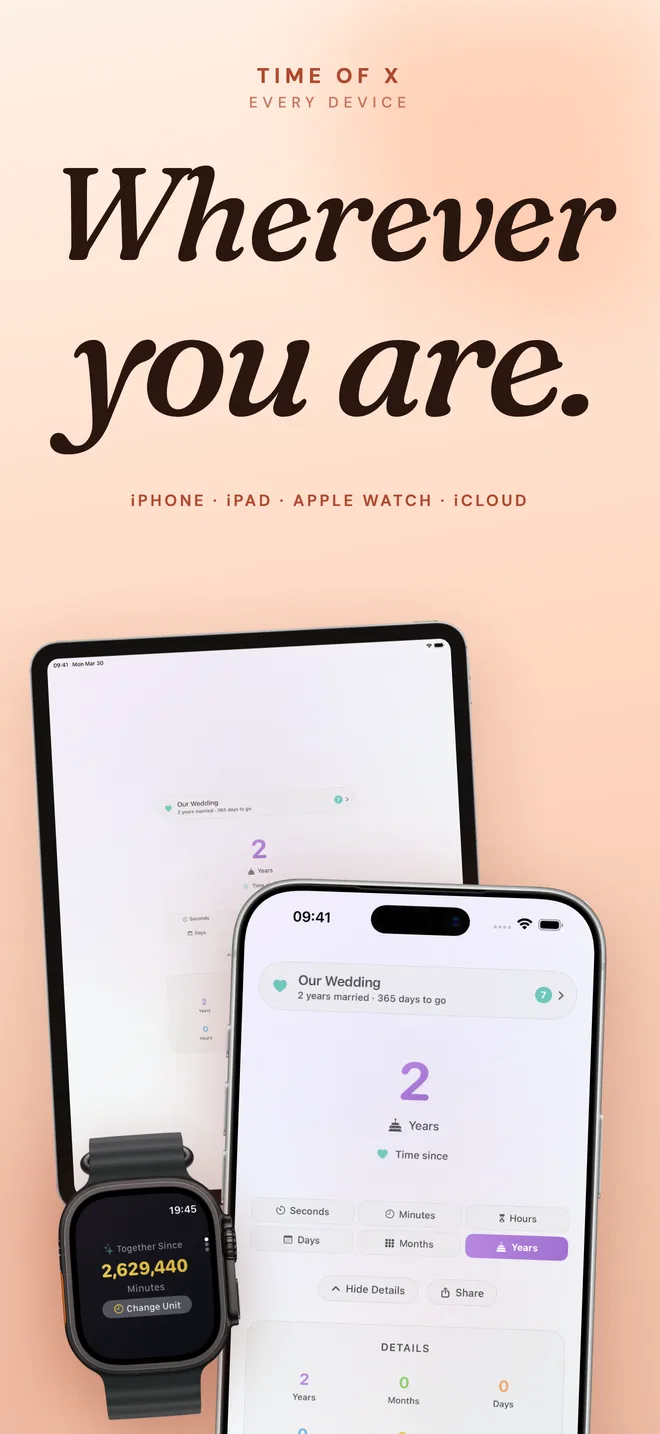
A dedicated watchOS app with a live gradient counter, milestone icons, and quick unit switching, synced with iPhone in real time.

Siri Shortcuts

Ask Siri for a milestone's time, get the full breakdown, or open one straight in the app. Build your own shortcuts in the Shortcuts app.

Private iCloud sync

Milestones sync between iPhone and iPad through your own private iCloud, end-to-end encrypted by Apple. Nothing passes through our servers.

A look inside

See it on your Home Screen

Time of X live counter screen on iPhone
Live counter for every moment, ticking in real time.
Time of X countdown screen showing days until a milestone
Count down to birthdays, anniversaries, and dates ahead.
Time of X milestone list with multiple events
Keep every milestone in one place. Switch between them any time.
Time of X widgets on iPhone Home Screen and Lock Screen
Widgets for every size, Home Screen, Lock Screen, and accessory.
Time of X syncing between iPhone, iPad, and Apple Watch
Synced across iPhone, iPad, and Apple Watch.
Time of X privacy promise, no tracking, no accounts
No accounts. No analytics. No ads. Ever.
Moments to track

Some moments deserve more than a calendar reminder

A few of the ways people use Time of X every day.

Count up from

The day something began. The moment that changed everything.

  • Days alive
  • Time since your wedding
  • Sobriety streak
  • Baby's age in days
  • Days since you moved
  • Time since you quit smoking
  • Days at your job

Count down to

The moments still ahead. The ones worth waiting for.

  • Next birthday
  • Next anniversary
  • Due date
  • Vacation or trip
  • Exam or graduation
  • Wedding day
  • Retirement
  • Project deadline
Frequently asked

Questions, answered

What is Time of X?

Time of X is a milestone tracker for iPhone, iPad, and Apple Watch. It counts the exact elapsed or remaining time for any moment that matters, a birthday, anniversary, wedding, sobriety date, due date, retirement, or any custom moment, in years, months, days, hours, minutes, and seconds.

Does Time of X support countdowns?

Yes. Every milestone can count up (time since) or count down (time until). Recurring milestones like birthdays and anniversaries automatically count down to the next occurrence and switch to counting up on the day itself.

Can I track multiple milestones?

Yes. You can add as many milestones as you like. Each one is tracked independently with its own counter, type, and recurrence, and you can pick a different milestone to feature in each widget.

Does Time of X have Lock Screen widgets?

Yes. Time of X includes Lock Screen accessory widgets in inline, circular, and rectangular sizes, plus Home Screen widgets in small, medium, and large sizes. Different widgets can follow different milestones.

Is there an Apple Watch app?

Yes. Time of X includes a native watchOS app with a live counter, milestone icons, and the ability to switch between time units. Milestones sync directly between your iPhone and Apple Watch.

Does Time of X sync across my devices?

Yes. Milestones sync between iPhone and iPad through your private iCloud account when iCloud is enabled. Apple Watch syncs directly with the paired iPhone. None of this data ever passes through our servers, it stays inside Apple's encrypted services.

Does Time of X work with Siri?

Yes. You can ask Siri for a milestone's time, get the full breakdown, or open a specific milestone. Custom shortcuts can be built in the Shortcuts app.

Does Time of X collect any data or have ads?

No. Time of X has no servers, no accounts, no analytics, no third-party SDKs, and no ads. All data stays on your device and optionally in your private iCloud account. See the Privacy Policy for the full story.

How much does Time of X cost?

Time of X is a one-time purchase on the App Store. No subscriptions, no in-app purchases, no upsells.

What languages does Time of X support?

Time of X is localized for 19 languages, including English, German, Spanish, French, Dutch, Turkish, Japanese, Korean, Brazilian Portuguese, Simplified Chinese, Italian, Arabic, Russian, Traditional Chinese, Swedish, Danish, Norwegian, Polish, and Indonesian.

Keep the moments that matter close.

Time of X is on the App Store now. Pay once, keep it forever.

Download on the App Store